AZ Glossary Taxonomy Index
- Created: 03/10/2011
- latest Update: 09/5/2013
- By: Seo Cube s.r.l.
- Email: info@seocube.it
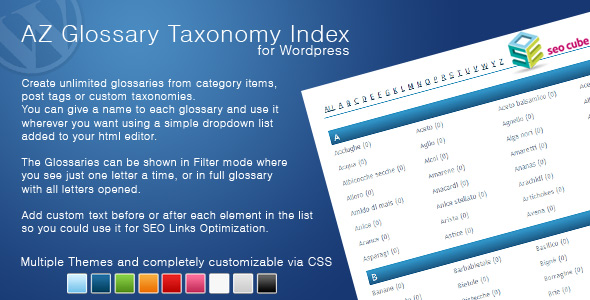
The plugin allows you to create unlimited Glossaries from various taxonomy sources like categories, post tags end each kind of custom taxonomy you’ll define for your post types.The plugin is useful to organize your terms and give a SEO boost to your term pages.
Installation
- Enter your wordpress admin panel
- Go to plugin page
- Click Add New
- Choose Upload from top menu
- Select from your hard drive the provided .zip file
- Click on Activate link
- Done! You are ready to create first Glossary Index item.
Features
- Create unlimited indexed glossary for your custom taxonomies, category or post tags
- Built-in themes to use for your website
- Completely skinnable with your own css file
- Localization: The plugin is written in English and Italian [ Our language ;) ] You may translate plugin in other language with POEdit
- TinyMCE integration: You can add shortcode directly in your advanced editor for any kind of content (Post/Page/Custom Post Type)
- Behaviour settings: You can choose between a standard index visualization or a filter view that shows only the selected letter
Plugin Settings Page

Plugin Options
-
Source Taxonomy
Select the source taxonomy (category or custom taxonomy) to get the desired items -
Terms with no posts
Decide whether you want to show terms with zero posts -
Show numbers
Decide whether you want to show terms starting with numbers -
Show symbols
Decide whether you want to show terms starting with symbols -
Show posts count
Decide whether you want to show the post count for each term. Ex.: Travels (10) -
Display Glossary Title
Decide whether you want to show the Glossary Title -
Text before terms
A text added before the term name, ex.: If term is INGREDIENT you could add “recipes with ” before INGREDIENT to obtain “recipes with pasta” and so on… -
Text after terms
A text added after the term name, ex.: If term is SERVICE NAME you could add ” in New York” after SERVICE NAME to obtain “car rental in New York” and so on… -
Index Panel Behaviour
Define the Index Panel behaviour. It could be a filtering panel or a navigation panel. In Navigation mode you will see all the terms of each letter, in filter mode you will see the terms of one letter a time. -
Index Panel Position
Where you want the panel to be shown -
Column Count
Number of columns for each row -
Theme
Select the Glossary look and feel. If you would customize your glossary, you need to create a new css file named as you like and save it in the plugin “styles” folder
Adding a Glossary to your content
To add a Glossary into your pages just choose it from the list added to the Editor Toolbar of your WordPress site.
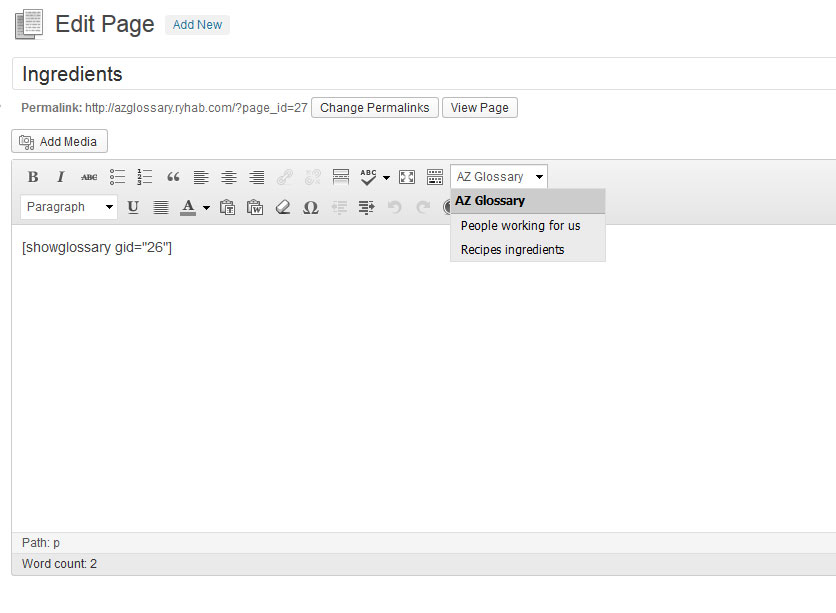
This will add a shortcode that show glossary index on your website. You can also include this shortcode in every part of your wordpress template using php syntax like: <?php do_shortcode('[showglossary gid="26"]'); ?> You could retrieve this code in the specific options page of your own glossary.
Frontend examples
This example shows you a simple list of ingredients with letter index on the top.

In this example we changed the theme and changed behaviour of letters. Now it acts like a filter hiding items belonging to other letters.

Video Guide
We made a video guide to explain better the features and demos of our plugin.
Support
For further information or help don't hesitate to contact us through comment on our website http://azglossary.ryhab.com or via email at info@seocube.it